
The Affinode Dashboard
Affinode deploys a lightweight controller on each GPU node. A per-node dashboard gives you real-time visibility into every process consuming GPU resources — and the ability to reclaim that memory automatically when processes go idle.
One Helm chart, zero code changes
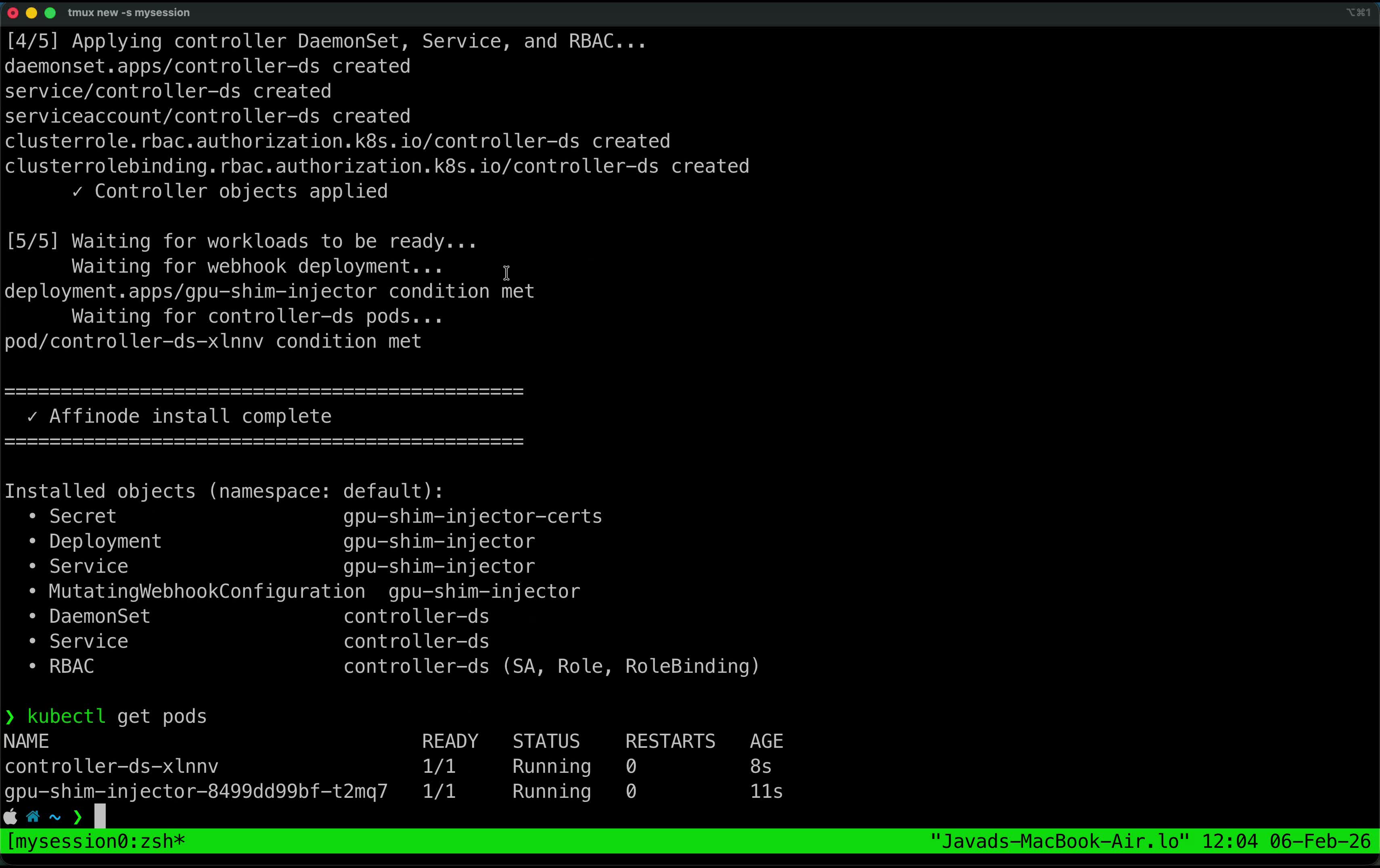
Affinode is distributed as a Helm chart and deploys entirely within your
existing Kubernetes cluster. A single helm install command
creates everything it needs:
- DaemonSet A node controller runs on every GPU node, monitoring CUDA activity and managing offload/restore cycles.
- MutatingWebhookConfiguration Intercepts GPU pod creation and injects the lightweight CUDA shim into each container — no changes to your workload manifests.
- Deployment + Service The GPU shim injector webhook, responsible for transparently wiring up CUDA interception at pod startup.
- RBAC Least-privilege service account, role, and role binding scoped to what the controller needs.
GPU resource visibility, per node
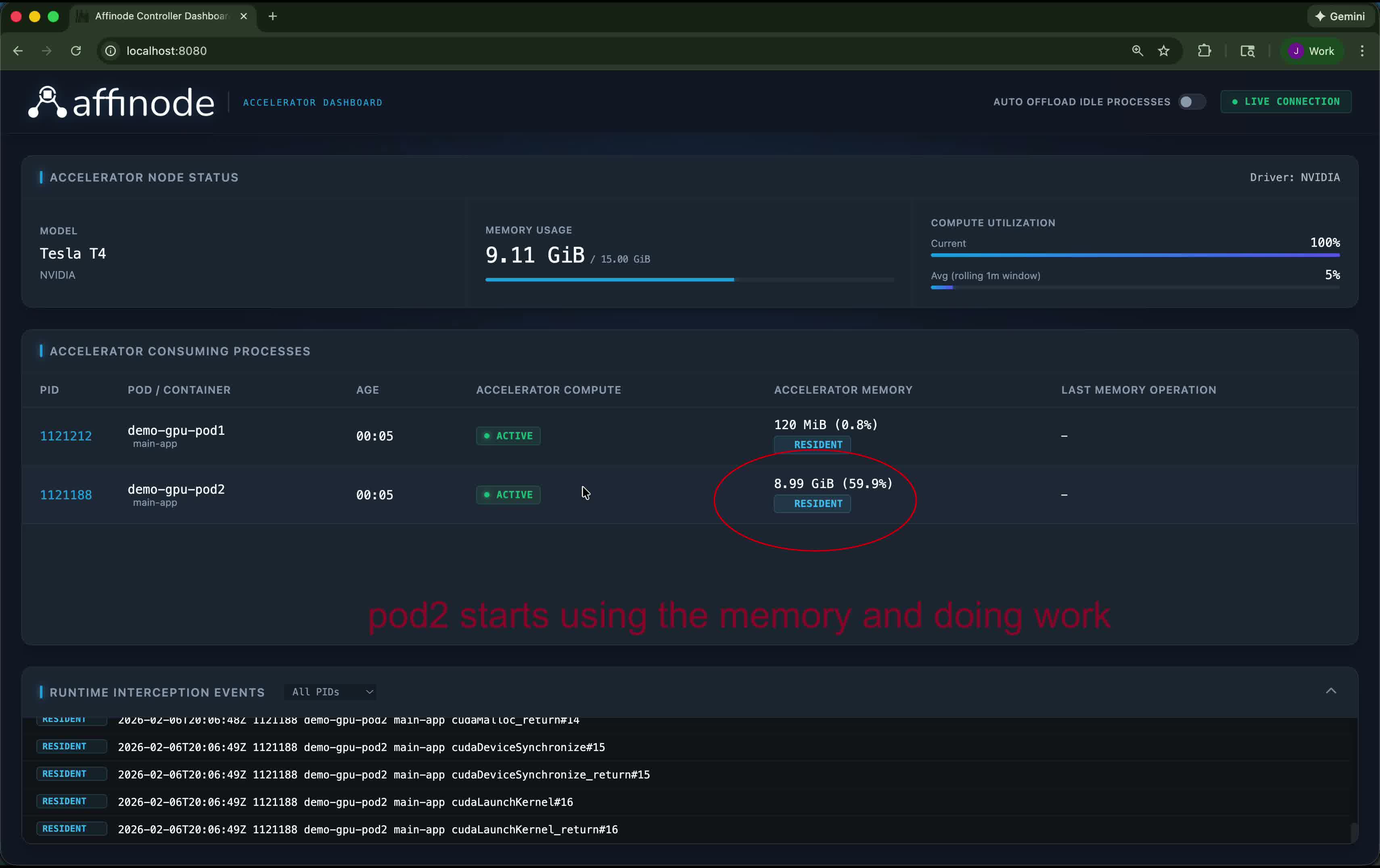
Affinode installs a controller on each GPU node as a Kubernetes DaemonSet. The dashboard connects to the node controller and shows every process currently holding GPU resources — their pod and container name, compute utilization, memory footprint, and a live stream of intercepted CUDA API calls. Node-level stats (total memory usage, rolling compute utilization) are shown at the top.
Idle detection
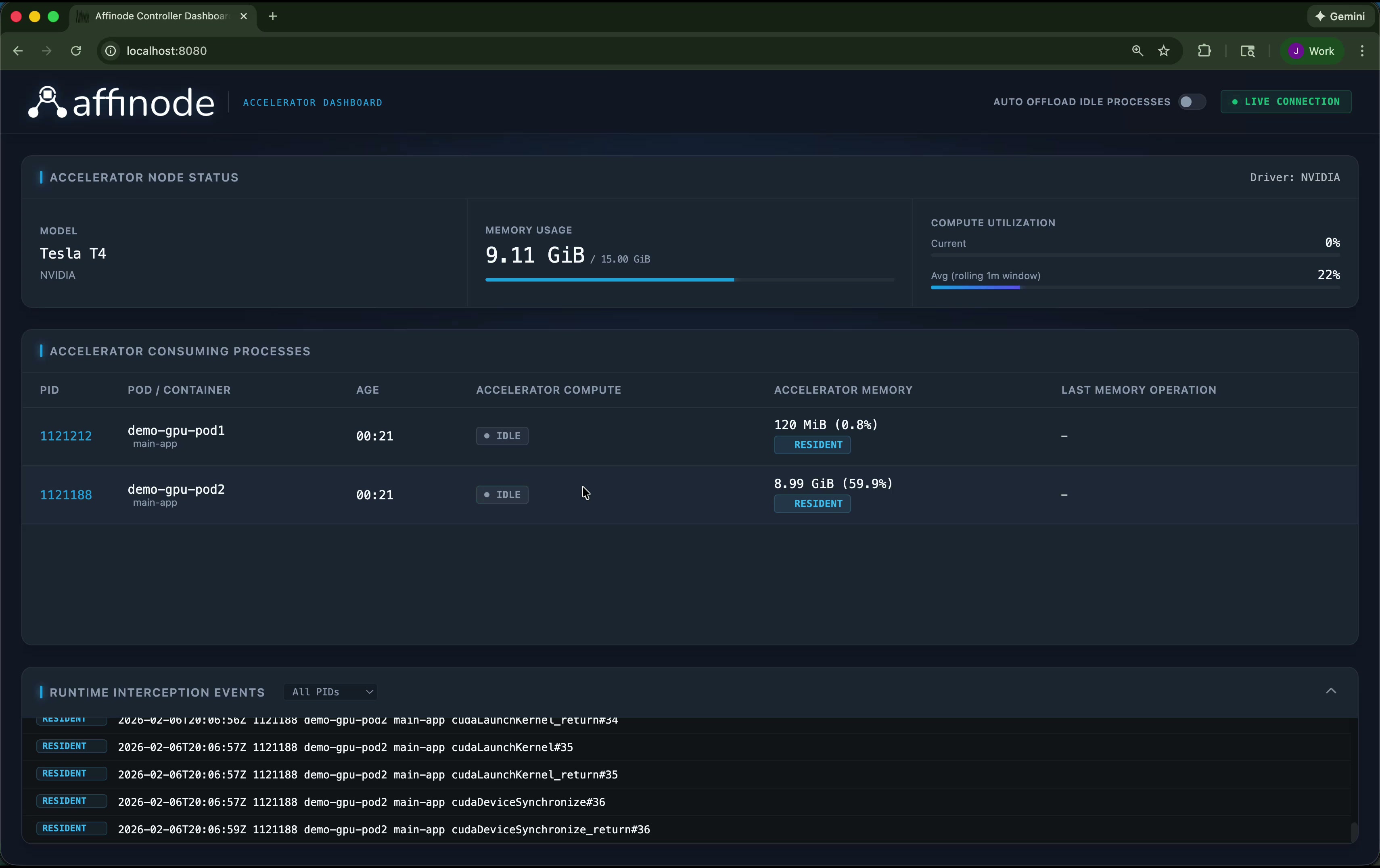
Affinode intercepts CUDA API calls at the container level. When a process stops issuing CUDA calls for a configurable period, the controller marks it IDLE. The status updates in real time — you can see exactly which processes are actively using the GPU and which are holding memory without doing any work.
Auto offload idle processes
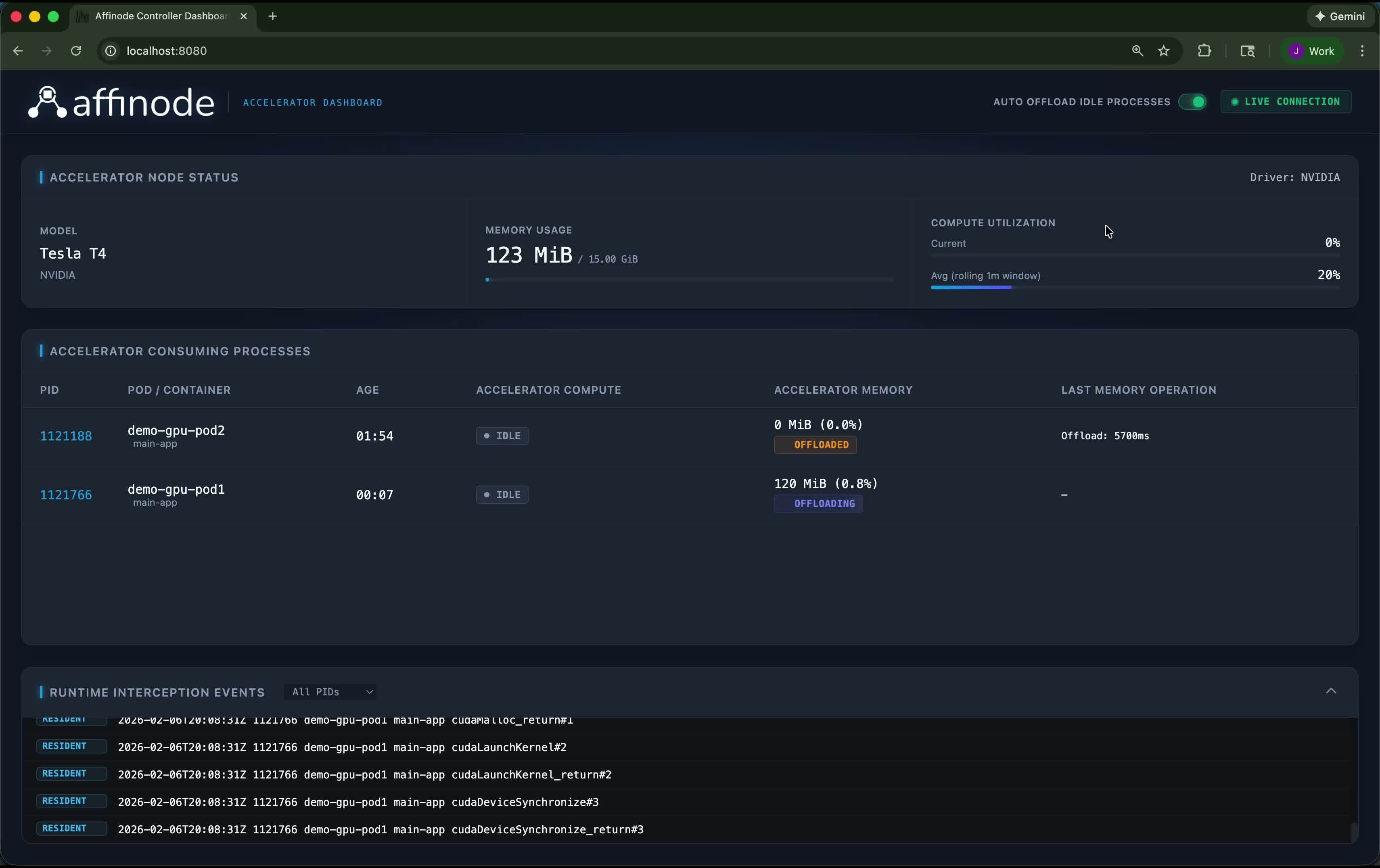
Enabling Auto Offload Idle Processes tells the controller to automatically checkpoint idle processes using NVIDIA's CUDA checkpoint API, moving their GPU memory (VRAM) to host CPU RAM. In this example, two pods with a combined footprint of ~9 GiB are offloaded — dropping total GPU memory usage from 9 GiB to 123 MiB and freeing the GPU for other workloads. Both processes remain alive on the CPU and resume the instant they issue a new CUDA call, with no code changes and no state loss.
See It Running on Your Cluster
We're working with early customers to deploy Affinode in production environments.